
Adding an On-Call Route Stop
What is an on-call route stop?
This is a stop that doesn't receive regular, scheduled pickups. Instead, the customer calls and requests that the driver pick them up this week.

Why use on-call route stops?
Routes are generally predictable: a truck leaves the garage and picks up the same customers in the same order one day per week. When on-call customers get picked up it's always the same place on the route, they just don't need a pick-up every week. Reasons might include:
- The customer doesn't live at the location full-time and needs their trash picked up only when it's occupied.
- The customer doesn't generate enough trash to justify paying for weekly pick-ups.
- The amount of trash the customer generates varies widely over time.
How to enter an on-call stop
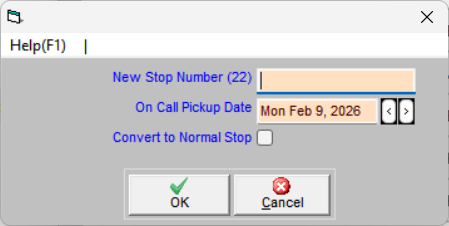
From within a route hover your mouse one line above where you want to insert the stop, and choose name, address, etc. Choose the date the customer should be picked up. When you print route sheets or upload routes to TeleRoute that stop will only appear to the driver on the date you indicated. The next time the customer needs a pick-up , change the date and click . To change an on-call stop to a regular route stop , select Convert to Normal Stop, and click .
Additional Resources: